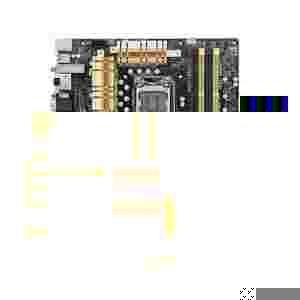
Przedmiotem aukcji jest używana płyta główna
ASUS Z87-PRO
stan idealny jak nowa
w komplecie pudelko i wszystkie akcesoria
na gwarancji w sieci sklepow PROLINE do 01.2017
Learn more about NFC EXPRESS >>
Figuring out the best settings for your PC a challenge? 4-Way Optimization automatically detects the best configuration for your system based on actual usage.
The design makes sure your PC is perfect for gaming, entertainment, productivity, and everything else.
*Manual setting in Away Mode *Testing configuration: Gaming - Intel LGA1150 i7-4770K | Z87-DELUXE | G.Skilll DDR3-2400 4GB x 2 Multimedia & Away - Intel LGA1150 i7-4770K | Z87-DELUXE | PATRIOT DDR3-1600 4GB x 2 | Corsair CCSD-F120GB3-BK 120GB
ASUS Wi-Fi GO! makes enjoying home entertainment and remotely controlling your PC easier than ever! It is the first integration of Wi-Fi hardware and a host of useful connectivity functions in a single intuitive app anyone can make the most of. It’s a one-stop utility that links your desktop with smart devices, which can be used to remotely control your PC for a truly connected lifestyle.
Quickly gets an access point via 802.11n Wi-Fi. Bundled with a 2.4GHz/5GHz dual-band 2T2R antenna so you can build your network without an extra router!
Your cloud file manager for ASUS WebStorage, Dropbox and Google Drive™. Synchronize files across cloud storage accounts with a click, with no more bothersome uploading and downloading to and from different accounts.
2013 Google Inc. All rights reserved. Google and the Google Logo are registered trademarks of Google Inc.
Accesses your PC from smart devices with real-time control for complete comfort. This function creates a virtual desktop on smart devices, offering portable access to content and control over your PC from anywhere at home.
Enjoy HD content, music, and photos from PC on your HDTV via Wi-Fi, perfect for creating your own home theater!
File Transfer: send and share files between your PC and smart devices with only a right click on the mouse. Capture & Send: capture and send screen shots from your PC to smart devices directly by pressing the hotkey*. *Hotkey set by users.
Easily change the time and date in EZ Mode using the mouse.
Quickly apply XMP settings in UEFI BIOS EZ Mode, achieving better DRAM performance.
As demanded by the community, detailed fan controls come to EZ Mode so you can switch fan profiles for quick cooling and noise-level supervision.
Displays each SATA port details for you to easily recognize devices.
F4 or right click to add settings to My Favorites under Advance Mode, which cuts time spent on searching and further speeds up system tuning.
Now you can customize your own shortcut log by pressing F4 or right clicking to create shortcuts to frequently-used settings. Instantly access them by simply hitting the F3 hotkey.
You no longer need to have a pen and paper notepad around. Quick Note works inside the BIOS so you can just type remarks and ideas to help you remember important settings info and save time on trial and error.
Always forget those important BIOS changes you did? This friendly function creates a tuning log to track your BIOS settings history , which can be saved onto a USB drive.
You can rename your SATA ports for easy identification, including by usage scenario. Get greater convenience and spend less time on finding the right devices when you want to change settings.
ASUS USB 3.0 Boost technology supports UASP (USB Attached SCSI Protocol) USB 3.0 in Windows 8. With USB 3.0 Boost technology, a USB device's transmission speed is significantly increased up to 170%, adding to already fast USB 3.0 performance. ASUS software automatically accelerates data rates for compatible USB 3.0 peripherals without any user interaction.
Hands-on Video
One click to prioritize network traffic for applications you're currently using or set up favorite profiles to run at specific times. Avoid network congestion, speed up downloading, and make sure online gaming runs optimized, all through an intuitive user interface.
PCI Express 3.0 uses improved encoding that provides twice the performance of PCI Express 2.0. Total bandwidth for an x16 link reaches 32GB/s, delivering unprecedented data speeds combined with the convenience and seamless transition offered by complete backward compatibility.
ASUS facilitates USB 3.0 accessibility for both the front and rear panel. Experience the latest plug n play connectivity at speeds up to 10 times faster than USB 2.0. Our motherboards afford greater convenience with high speed connectivity.
ASUS provides extra SATA 6Gb/s ports with enhanced scalability, faster data retrieval, and double the bandwidth of SATA 3Gb/s.
ASUS AI Suite 3 offers a brand new user experience through a clearer and more attractive interface with support for larger monitors. It consolidates all exclusive ASUS features into one simple-to-use package, allowing you to supervise overclocking, energy consumption, fan speeds, voltages and more. This all-in-one app offers diverse and easy to use functionality, with no need to switch back and forth between different utilities.
Hardware-level USB BIOS Flashback allows users to update to new UEFI BIOS versions even without a CPU or DRAM installed. Just plug in a USB flash drive containing the BIOS file and press the BIOS Flashback button for 3 seconds with the power supply connected. Hassle-free updating for ultimate convenience!
Memory issues can be difficult to diagnose and even harder to fix or work around. If RAM problems are preventing your system from booting, MemOK! helps by automatically loading failsafe settings to enable basic functionality with a simple push of a button on the motherboard. This troubleshooting feature saves you time and annoyance, and adds to the confidence of DIY builders.
Motherboard front panel wires and connectors used to be notorious as the hardest and most tedious part of the build process. You had to figure out which one went where, or consult confusing manuals. This took forever and caused needless frustration. The Q-Connector steps in to take care of all that. It’s a one-piece plug that sits on top of the front panel headers, with clearly marked inputs for each. You no longer have to mess with easily-bent pins. The wires go into the Q-Connector, and you’re good to go.
When there's a problem with your PC, quickly being able to diagnose and remedy the issue can eliminate a great deal of frustration. ASUS Q-LED immediately indicates when there's a problem with the CPU, memory, graphics card or boot device by lighting up in the vicinity of that component.
Designed for those requiring frequent BIOS access, users can easily enter the BIOS when the PC is on standby power with a simple press of a button. It saves you time during boot-up as you don’t have to repeatedly press the DEL key. Convenience and ease at their best!
Hands-On Video
Thanks to ASUS Windows 8 hardware optimization, ASUS Boot Setting provides better flexibility in customizing your PC’s startup process. You can shorten system boot-up time to 2-seconds* for a smoother user experience under Windows 8, and even previous versions of Windows. Also, you can enter the BIOS directly with one click through a user-friendly interface, and quickly select your preferred system boot up method: either get to the OS in seconds or opt for regular boot up. Whatever your choice, settings are saved and persistent, with no need to choose every time you power on. *On select models
Popular ASUS real-time system monitoring software now available for Windows 8. It helps you supervise your entire PC through a live tile on the Windows 8 start screen, and make quick adjustments. Probe II Sense is a free app available from the Windows Store.
ASUS motherboards guard your PC with 5X Protection. We use quality components like DIGI+ VRM digital power design for precise CPU power on demand, ESD units tested to strict standards that eliminate electrostatic interference, and resettable fuses around DRAM slots to prevent overcurrent and short-circuit damage. We also use corrosion-resistant back I/O shields, all examples of ASUS providing the best possible reliability and durability.
Power control is one of the most essential motherboard designs. Intelligent CPU power draw detection with ASUS DIGI+ Power Control is an innovative, industry-leading technology that fully complies with Intel® VRD12.5 specifications, increasing overclocking potential, enhancing system stability, and improving power efficiency with superior flexibility and accurate control.
Onboard resettable fuses prevent overcurrent and short-circuit damage. This extends beyond I/O ports to DRAM to safeguard system and device lifespan.
Electrostatic discharges (ESD) can happen suddenly, and their damaging effects are often underestimated. ASUS ESD Guards offer an active protective circuit design that ensures electrostatic discharges are properly grounded, providing greater component longevity.
ASUS high-quality solid state capacitors assure a 5,000-hour lifespan, equivalent to 2.5 times longer than traditional capacitors. They pass testing under temperatures as high as 105 degrees centigrade to meet Japanese industrial standards, providing excellent durability and enhanced thermal capacity.
ASUS motherboard back I/O panels are made from strong and corrosion-resistant stainless steel, which is bonded with a thin layer of chromium oxide to enhance anti-corrosive properties. Passing 72-hour spray salt endurance tests, ASUS stainless steel back I/O panels have a usage life three times longer compared to ordinary panels.
Following up on popular 1080p full HD, 4K Ultra HD is the next big thing, and you’re ready for the upgrade thanks to integrated graphics that natively support up to 4096 x 2160 via HDMI or DisplayPort. That’s four times the pixel count of 1080p (1920 x 1080), offering incredible visual clarity, detail, and realism.
DisplayPort 1.2 with Multi-Stream Transport (MST) allows you to connect up to three 1080p displays to a single output with daisy chaining, splitting the signal into three Full HD (1080p@60Hz) links.
Connect up to three independent monitors at once using video outputs such as DisplayPort, Mini DisplayPort, HDMI, DVI, or VGA. Choose your outputs and set displays to either mirror mode or collage mode.
Intel® Collage Display allows images to be shown across multiple monitors, with each depicting a portion of a larger image. You can connect multiple displays to a single system and get video on several monitors with higher quality and resolution up to 4K. Connect up to six displays to drive a total resolution as high as 7680 x 1200 for Horizontal Collage Display or 3840 x 2400 for Vertical Collage Display with special dongles, like DisplayPort splitter adapters. Horizontal mode offers an extended desktop experience that’s ideal for commercial applications such as finance, while vertical mode offers a simple way to enjoy 4K ultra HD content using standard HD displays.
Brings you multi-GPU support using NVIDIA SLI™ or AMD CrossFireX. The Z87 chipset optimizes PCI Express allocation in multiple graphics card configurations, so you can expect brand-new gaming like you’ve never experienced before!
This motherboard supports Intel® 4th generation Core™ i7/i5/i3/Pentium®/Celeron® processors in the LGA1150 package, with iGPU, memory and PCI Express controllers integrated to support onboard graphics output with dedicated chipsets, 2-channel (4 DIMM) DDR3 memory and 16 PCI Express 3.0/2.0 lanes. This provides great graphics performance. Intel® 4th generation Core™ i7/i5/i3/Pentium®/Celeron® processors are among the most powerful and energy efficient CPUs in the world.
The Intel® Z87 Express Chipset is a single-chipset design that supports socket LGA1150 4th generation Intel® Core™ i7/i5/i3/Pentium®/Celeron® processors. It provides improved performance by utilizing serial point-to-point links, allowing increased bandwidth and stability. Additionally, Z87 provides a maximum 6 USB 3.0 ports and 6 SATA 6Gb/s ports for faster data retrieval. Moreover, the Intel® Z87 Express Chipset also supports iGPU functions, letting users enjoy the latest Intel integrated graphics performance.
Uses an installed fast SSD (min18.6GB available capacity required) as a cache for frequently-accessed data. Key benefits include reduced load and wait times, and lower power consumption through the elimination of unnecessary hard drive spin. This technology combines SSD performance with hard drive capacity, operating up to 6X faster than a hard drive-only system.
Your computer can receive web updates with fresh content for selected applications, even when the system is in sleep mode. This means less time waiting for applications to update and sync with the cloud, leading to a more efficient computing experience.
Allows your computer to quickly resume from a low-power hibernate state in seconds. Saving your system memory to the designated SSD, it provides your computer a faster wake-up response time, while still keeping energy use low.
Learn more about ThunderboltEX II >>
Motherboards are EU Energy-related Products (ErP) ready, which requires products meet high efficiency standards with regards to energy consumption. This is in line with the ASUS vision of creating environmentally-friendly and energy-efficient products through design and innovation that reduce the carbon footprint of products and thus mitigate ecological impact.